La boîte de Steiner, le bilan d’espace pas à pas
Remplir la boîte de Steiner ligne par ligne : encombrement, repositionnement incisif, courbe de Spee, molaires, leeway, extractions. Règles d’équilibrage et exemple chiffré.
For dentists who practice orthodontics
AI analyzes the cephalogram in seconds, the studio guides you step by step, and an orthodontist’s opinion is one click away. You decide, with confidence.
Free · 30 minutes · no commitment
The GS Ortho interface is currently available in French.
“Class II or Class III? I’m not sure about my reading…”
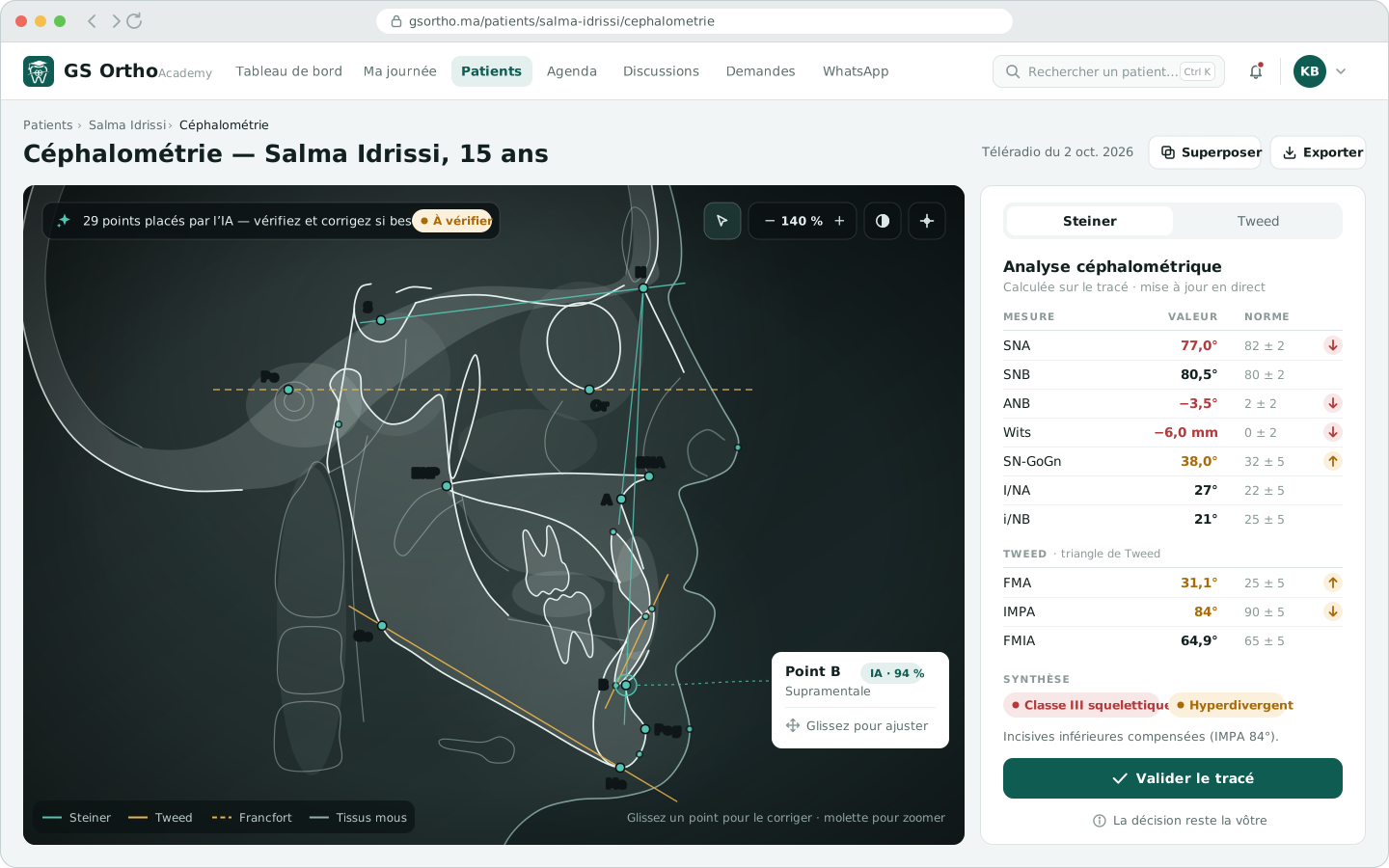
Free Online cephalometric analysis — place the landmarks on your cephalogram, and Steiner and Tweed are calculated. No sign-up.
Try the toolA cephalogram you don’t dare interpret. A case you end up referring. An opinion asked for on WhatsApp… and lost.
What if you could move forward on every case, without facing doubt alone?
One case, from the first consultation to the diagnosis
Each screen below answers a question a practitioner asks when facing an orthodontic case. Screenshots with fictional patients; the interface is currently in French.
Step 1 · The record
The whole case fits on one page: record photos sorted by view, radiographs, appointments and payments. The pathway timeline always shows you the next step.
What you gainYou always know where the patient stands and what is left to do.
The orthodontic photo protocol (in French)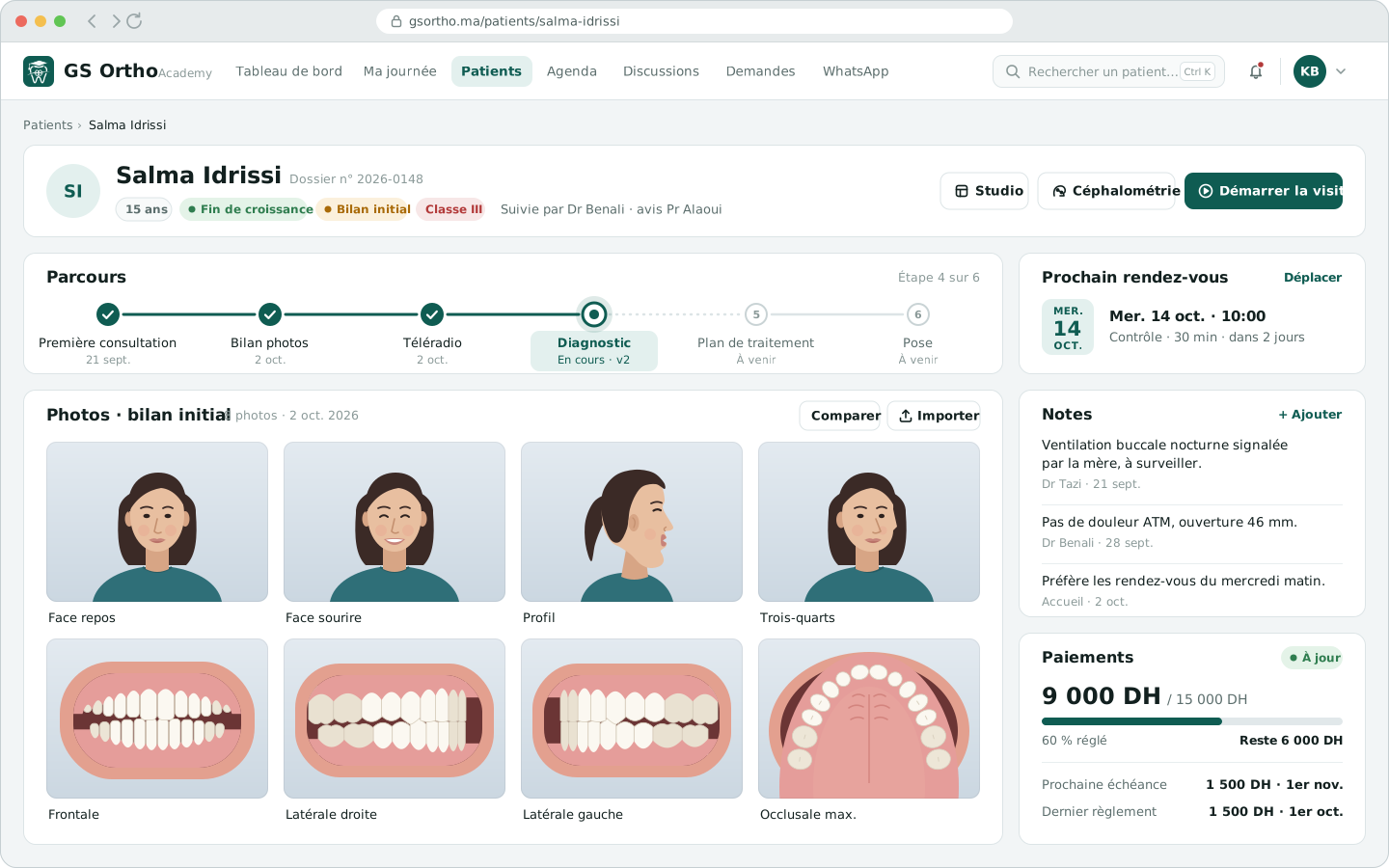
Step 2 · The diagnosis
The studio follows the method taught in the university orthodontics diploma (D.U.): 12 panels, from the clinical examination to the summary. Each finding you tick goes into the diagnostic sheet, with its evidence: a measurement or a photo.
What you gainA complete, justified diagnosis that you can explain to the patient as well as to a colleague.
Understanding the Steiner analysis (in French)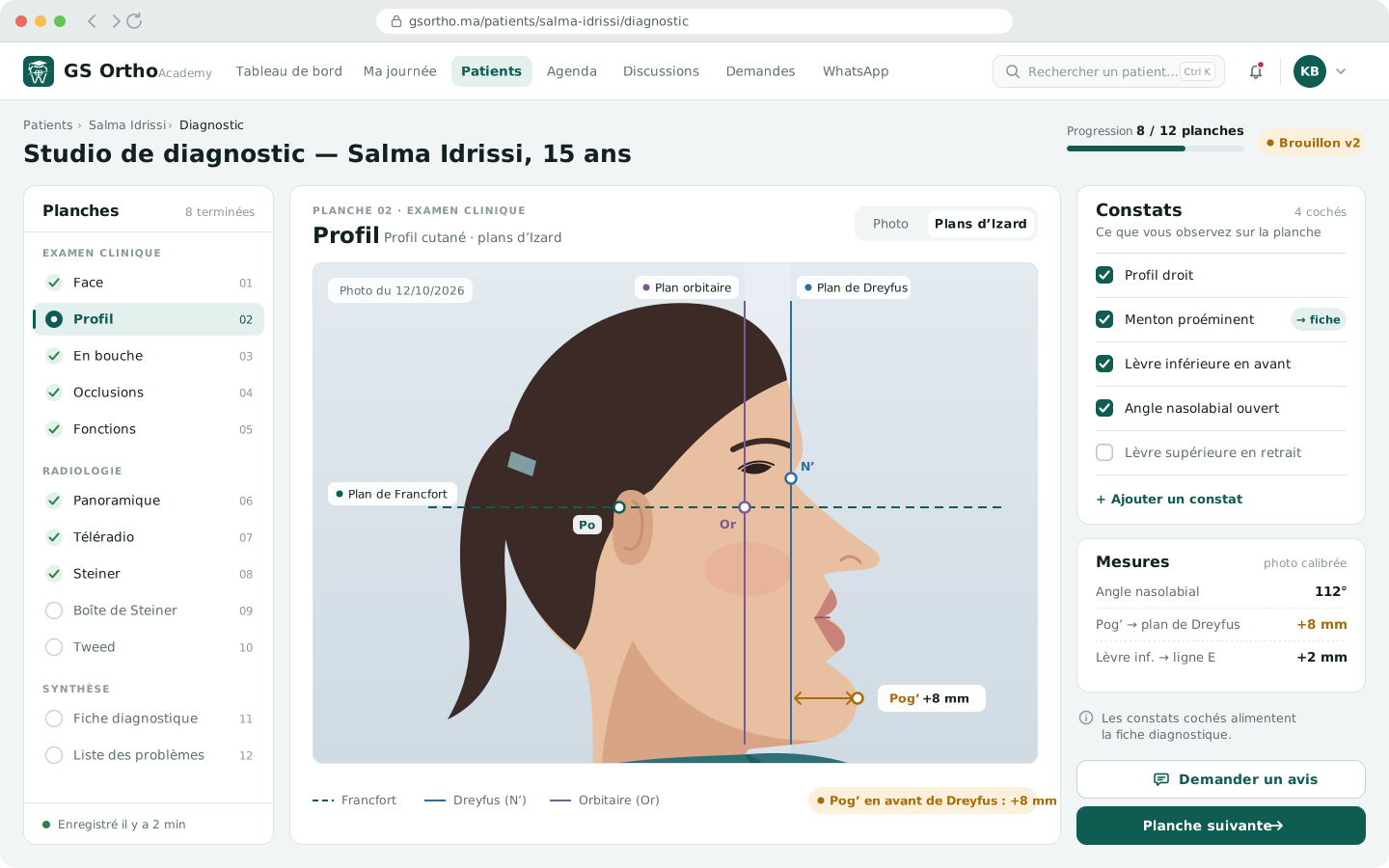
Step 3 · The doubt
One click, straight from the panel, to request an opinion. The orthodontist of your choice receives your question with the panel attached and replies in writing or by voice message. The reply comes back pinned to the panel, in the record.
What you gainYou no longer face a difficult case alone, and your patient stays with you.
How to ask for an opinion in orthodontics (in French)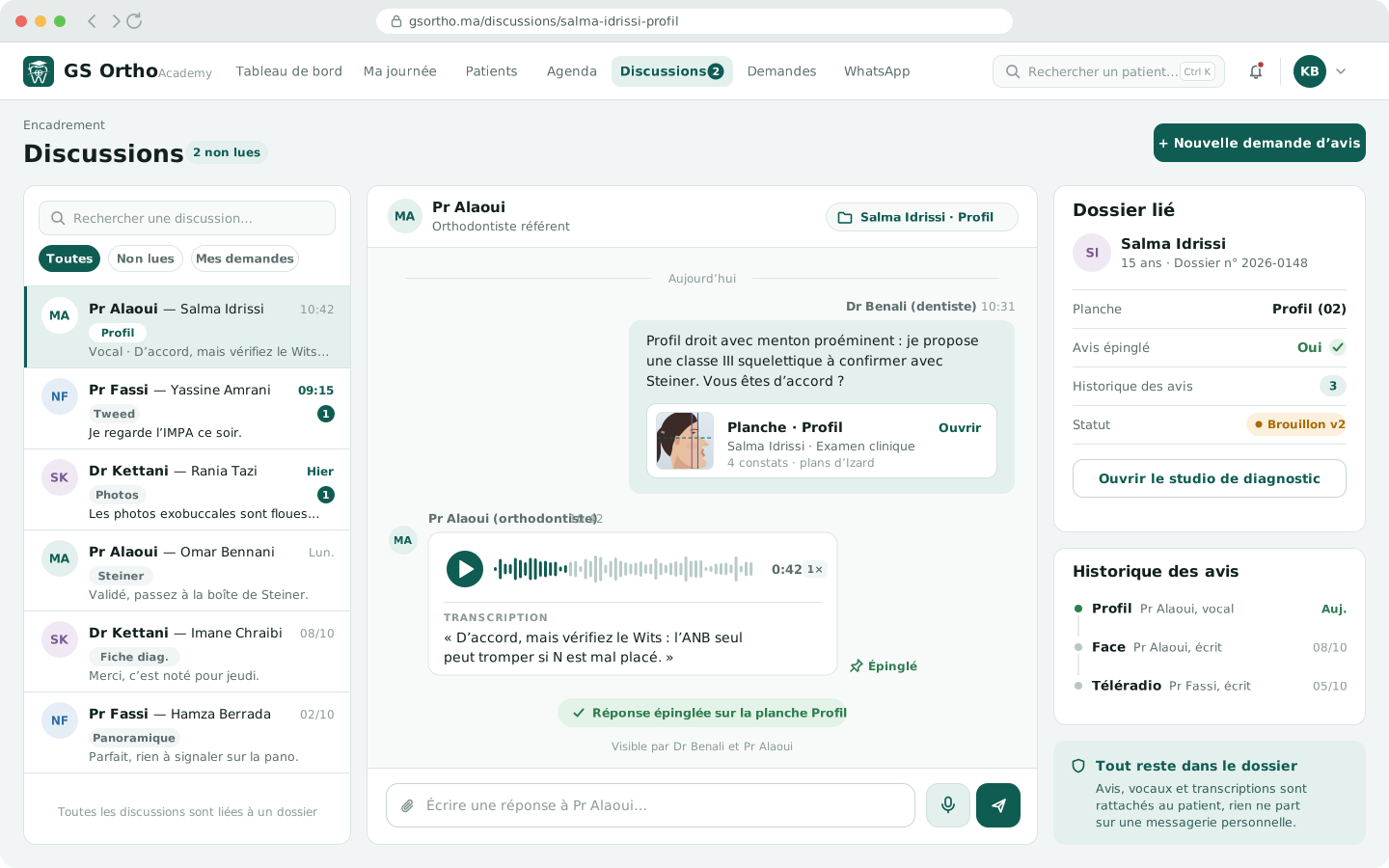
Sound familiar? See it on a complete case, in 30 minutes.
Book my demoDay to day · The practice
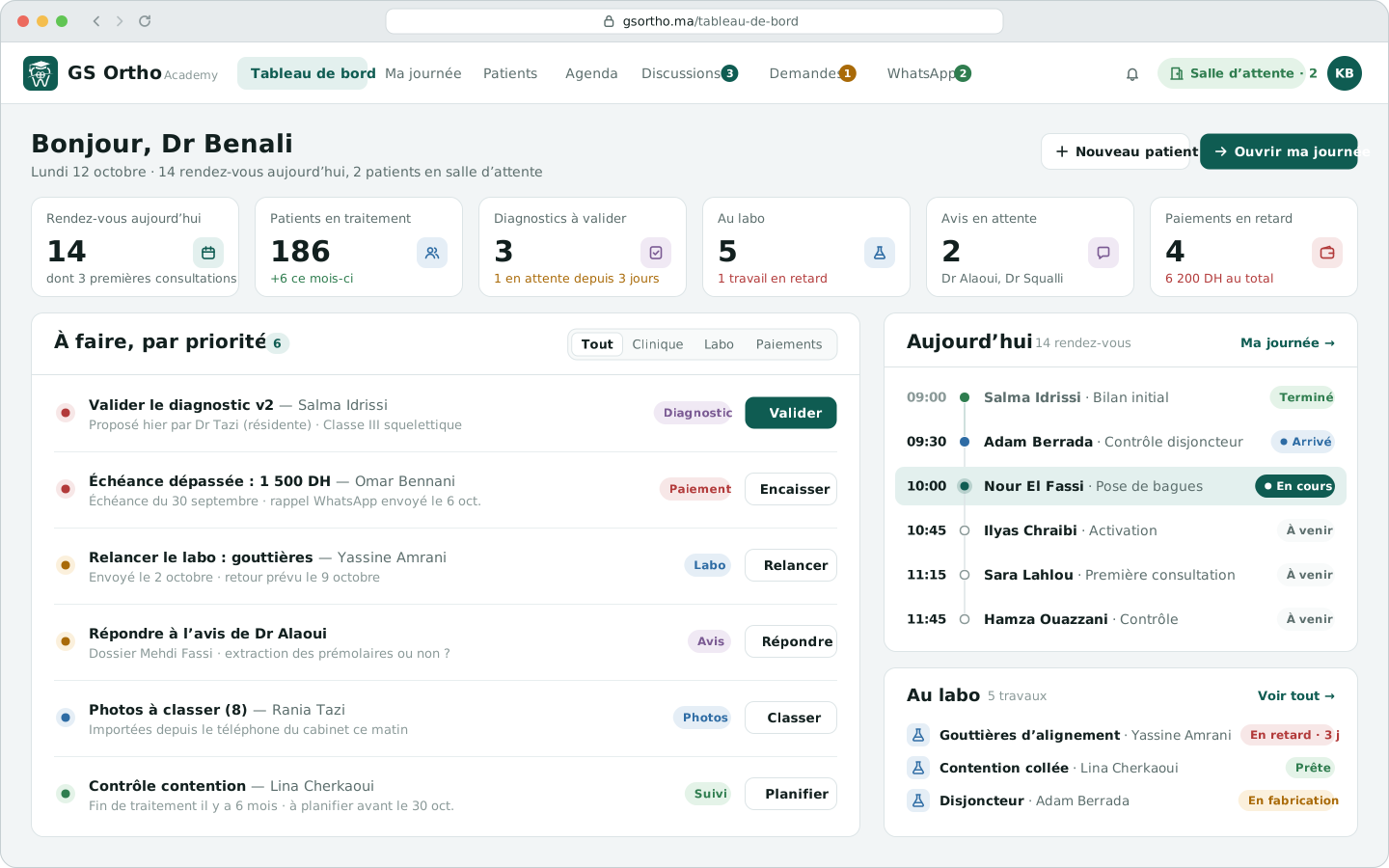
Quite the opposite: every morning, the dashboard sorts out what matters. Today’s appointments, diagnoses to validate, lab work, overdue payments: you start with the essentials.
What you gainLess time searching, more time chairside.
Day to day · Appointments
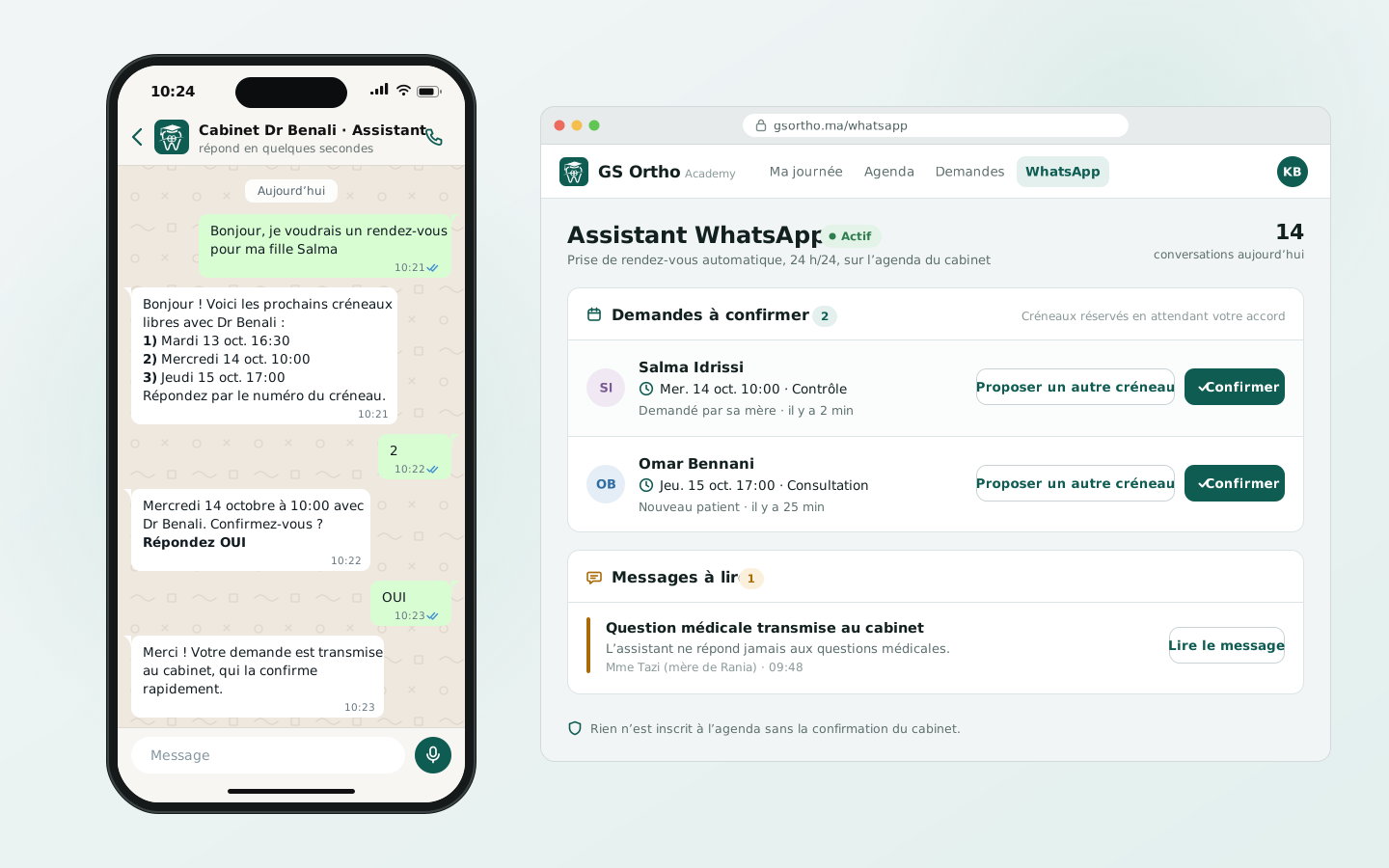
They book their appointments on WhatsApp. The assistant offers the free slots in your schedule, the patient confirms by replying “OUI” (yes), and your front desk validates in one click.
What you gainA phone that rings less, and appointments confirmed in writing.
What changes for you
Calculated measurements, a structured diagnosis, a specialist’s opinion: you know why you decide.
Take on the cases that fall within your practice with peace of mind, and refer the others knowingly.
Every opinion you receive stays in the record: your experience builds up, case after case.
Who it’s for
You practice orthodontics without being a specialist? A clear framework for every case, reliable measurements and an orthodontist to ask for an opinion.
I’m a general dentistRecords, photos, cephalometrics, schedule and payments in one place. And answer your colleagues’ requests for an opinion with the panel in front of you.
I’m an orthodontistSupervise your residents, even remotely: every question, every answer and every version of the diagnosis is tracked.
I supervise residents“What about my patient data?”
Health data is sensitive data. GS Ortho is installed on the server of your practice or department: photos and radiographs do not go through a service abroad to be analyzed.
Read: protecting health data in Morocco (in French)Frequently asked questions
Yes. The platform gives you a framework for every case: a complete record, calculated measurements, a step-by-step diagnosis, and the option to ask an orthodontist for an opinion from within the case. You keep the decision, and you know when to refer.
No. The AI places the cephalometric landmarks and the measurements are calculated, but every landmark can be checked and corrected, and you are the one who validates the tracing, then the diagnosis. The interpretation shown uses the reference values from the textbooks.
The orthodontist or teacher you choose and open the case to. They receive your question with the panel attached, reply in writing or by voice message, and their reply stays pinned in the record.
With you: the platform is installed on the server of your practice or department, with backups. Radiographs and photos are not sent to a website abroad to be analyzed.
No. GS Ortho runs in the browser, on a computer, tablet or phone. Only the server that holds your data is installed at the practice or department.
Pricing depends on the size of your practice and how you use it. We present it during the demo, with no commitment.
Never. It offers free slots and records the request, which the patient confirms; the practice validates every appointment. Any medical question is passed on to the practice.
The GS Ortho interface is currently available in French. The free tools on this site are available in English.
Pioneer program
We are opening the platform to a first group of practitioners in Morocco. Pioneers get personal support to get started, and their feedback shapes the next features.
Not ready yet? Keep reading
Remplir la boîte de Steiner ligne par ligne : encombrement, repositionnement incisif, courbe de Spee, molaires, leeway, extractions. Règles d’équilibrage et exemple chiffré.
Loi 09-08, CNDP, droits des patients, sécurité des accès et risques du quotidien : comment protéger les données de santé de vos patients au cabinet au Maroc.
Comment l’intelligence artificielle détecte les points céphalométriques, ses performances, ses pièges et pourquoi le praticien doit vérifier chaque point.